

 ALL PLUGINS
 CONTACT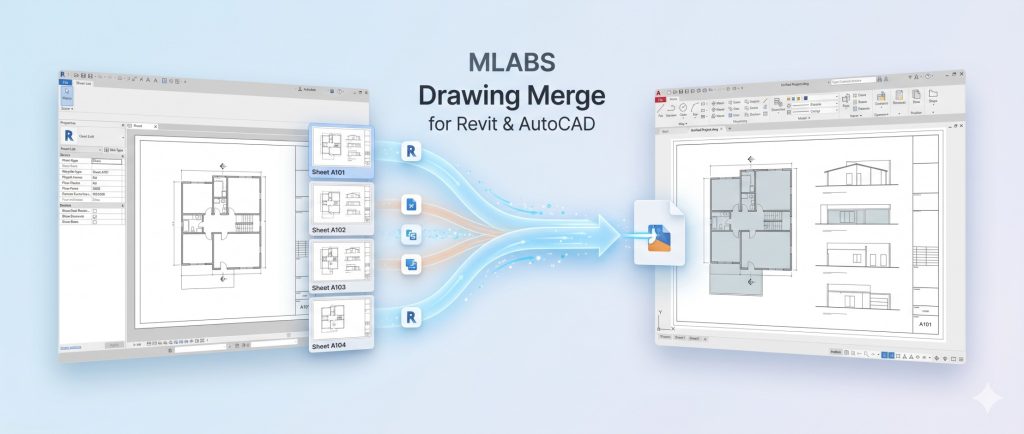
Optimize your BIM-to-CAD workflow with advanced tools designed to seamlessly bridge the gap between Revit and AutoCAD. When you need to export Revit sheets to DWG quickly and accurately, our plugin delivers a professional-grade solution. Whether your project requires you to batch export Revit sheets to individual AutoCAD layouts, merge multiple drawings into Model Space with title blocks, or directly export non-sheet views to DWG, we have you covered.
1. Multiple Layouts
The Multiple Layouts feature enables you to export multiple Revit sheets into a single consolidated AutoCAD DWG file, creating an individual, fully configured Paper Space layout tab for every sheet.
1.1. Sheet Selection & Sorting
Easily pick sheets from your active Revit model or load pre-saved ViewSheetSet configurations. The intuitive selection window provides powerful sorting and organization capabilities:
- Alphanumeric Sorting: Order sheets logically by Sheet Number, Sheet Name, or custom project parameters before exporting.
- Sheet Set Integration: Quickly filter by view sheet sets to batch export specific drawing disciplines (Architectural, Structural, MEP).
- Format Support: Seamlessly choose between standard AutoCAD DWG and DXF output formats.
1.2. Layout Automation & Setup
Configure automated layout tab generation to match strict office and client delivery standards:
- Layout Naming Rules: Dynamically generate layout tab names using sheet parameters (e.g., Sheet Number, Sheet Name, or a combined prefix).
- Page & Printer Setup: Automatically configure layout plotters, CTB pen styles, and paper sizes (A0, A1, A2, A3, ANSI) directly for AutoCAD paper space tabs.
- AutoCAD Sheet Set Manager: Option to generate a Sheet Set Manager (
.dst) file alongside the DWG for automated multi-sheet plotting and publishing. - Background AutoCAD Automation: Leverages AutoCAD’s background engine to assemble layouts cleanly while preserving true view coordinates and viewport scales.
For an in-depth walkthrough, read our guide on Export Multiple Revit Sheets to AutoCAD Layouts ?.
2. Model Space
Many clients, subcontractors, and authorities require all drawing sheets to reside directly in AutoCAD Model Space rather than across layout tabs. The Model Space export tool automates this process effortlessly.
2.1. Model Space Placement with Title Blocks
Exporting Revit sheets directly to model space typically strips away title blocks or misplaces view scales. The MLABS engine solves this by transferring every sheet to AutoCAD Model Space complete with its original title blocks, sheet annotations, view titles, and key plans.
- Preserved Title Blocks: Title blocks are placed in Model Space alongside view graphics at true 1:1 plotted scale.
- Template Integration (.dwt): Use your company’s AutoCAD template (e.g.,
acadiso.dwt) as the host container for standard dimension styles, text styles, and layer filters. - Layer Merging & Audit: Automatically purges unused blocks, audits database integrity, and merges duplicate layers cleanly.
2.2. Grid Alignment & Speed Mode
Organize multiple drawings in Model Space in a clean, professional grid matrix:
- Horizontal or Vertical Alignment: Arrange consecutive sheets left-to-right or top-to-bottom with consistent offset spacing.
- Configurable Margins: Specify exact border margins and spacing between sheets to avoid drawing overlap.
- Speed Mode: High-performance batch processing optimizes memory allocation to export dozens of sheets in seconds.
Check out our step-by-step tutorial on Export Revit Sheets to AutoCAD Model Space with Title Blocks ?.
3. Single Layout
The Single Layout tool consolidates multiple selected Revit sheets into one single AutoCAD layout tab, arranging them side-by-side on a continuous drawing sheet.
3.1. Consolidate into One Layout
Ideal for schematic packages, presentation sheets, and permit submissions where all drawings must be visible in a unified canvas:
- Side-by-Side Arrangement: Automatically positions all sheets sequentially within one shared layout.
- Title Block Parameter Matching: Automatically detects and links title block labels for Sheet Number, Sheet Name, and Scale.
- Format Flexibility: Choose between DWG and DXF formats depending on your downstream workflow.
3.2. Standalone Mode (No AutoCAD Required)
4. Export Views
Need to send individual floor plans, elevations, sections, 3D views, or drafting details to AutoCAD without going through the tedious process of creating empty Revit sheets? Export Views provides the answer.
4.1. Direct View Export to DWG
Select any group of non-sheet views directly from Revit’s Project Browser:
- Multi-View Selection: Filter and select Floor Plans, Ceiling Plans, 3D Views, Sections, Elevations, and Drafting Views in one central dialog.
- Standard DWG Settings: Applies standard Revit DWG export setups for layer names, line weights, and colors.
- Open File After Export: Automatically launches the exported DWG in AutoCAD or your default CAD viewer immediately upon completion.
4.2. Smart Packing Grid & Safe Rollback
- Automatic Layout Calculation: Measures viewport bounding boxes and spaces views evenly with automatic row wrap when exceeding row width limits.
- Safe Active View Restoration: Automatically restores your previous active view without disrupting your BIM workspace.
- Clean Model State: No temporary sheets, viewports, or dummy views are left behind in your project file.
5. Transfer Settings
Maintaining standardized CAD layer settings across multiple Revit projects and design teams is often time-consuming. The Transfer Settings module makes layer configuration sharing and management effortless.
5.1. Project Transfer (RVT to RVT)
Directly transfer complete DWG export setups from an existing Revit project (.rvt) into your active project:
- Instant Model-to-Model Transfer: Browse and select any source Revit model file. The tool extracts and imports all DWG export presets automatically.
- Prevent Duplicate Effort: Set up your office DWG layer standard once in a template project and propagate it across all active projects in seconds.
5.2. Import & Export Configuration (.txt)
Manage layer mapping files via lightweight, portable text files:
- Export Configuration: Save current category-to-layer mappings, modifier settings, and projection lines into a standard text file (
.txt). - Import Configuration: Load standardized layer configuration text files directly into any Revit session with a single click.
- CAD Standard Compliance: Ensure strict adherence to AIA, BS1192, ISO 13567, or custom client CAD standards.
5.3. AutoCAD Color Index (ACI) Palette
Assign exact AutoCAD layer colors with ease:
- Interactive Color Palette: Browse and select from the full 255 AutoCAD Color Index (ACI) table directly within Revit.
- Color Swatch Preview: Visual swatches ensure exact color matching before running the export.
6. License Management
Easily manage your plugin subscriptions, machine activations, and licensing options directly inside Revit.
6.1. MLABS License Manager & Free Trial
- Centralized License Window: Access your license status, renewal dates, and active machines with a single click on License.
- Instant Activation: Activate newly purchased license keys instantly via cloud validation powered by LemonSqueezy.
- 30-Day Free Trial: Try all features-including Multiple Layouts, Model Space, Single Layout, and Export Views-with a full-featured 30-day evaluation period.
Export Revit Sheets to DWG
Version: 6.2.1
Revit 2021+
AutoCAD 2020+
(Not compatible with AutoCAD LT)
AutoCAD not required for “Single Layout”
? Includes a 30-Day Free Trial