

 Free plugins
 Premium Plugins
 Donate
 Contact
 Blog
BlogA. How to Download and Install the Plugin
- Download the plugin: Get the latest installation file from our official page: https://mlabsolution.com/export-sheets-to-dwg-revit-plugin/
- Install: Run the downloaded installer and follow the on-screen instructions.
- Launch Revit: Open Autodesk Revit and load your project.
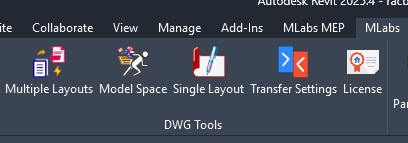
- Locate the tool: Navigate to the MLabs tab on the Revit ribbon, as shown in the image below:
B. License Activation and 30-Day Free Trial
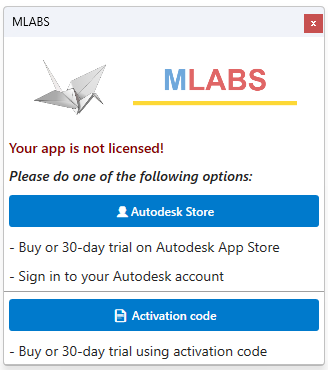
You have two simple methods to activate the software:
- Autodesk Account: Log in using your Autodesk account credentials to instantly activate your 30-day free trial or manage your subscription.
- Activation Code: 30-Days trial button or enter your purchased license key directly into the activation prompt.